
Custom ringtones are one of the simplest ways to personalize your Android smartphone. While default system sounds are functional, they lack personality. Many users prefer setting their favorite song, dialogue, motivational speech, devotional audio, or viral clip as their ringtone.
One common question people ask is: Can I set a YouTube video as my ringtone on Android?
The answer is yes — but not directly.
Because YouTube streams content instead of allowing native downloads for ringtone use, you need to convert the video into an audio file and then apply it through Android settings.
This extended, step-by-step guide explains everything in detail, including legal considerations, best tools, safe methods, troubleshooting, formatting tips, and optimization for the best ringtone quality.
Why Android Doesn’t Allow Direct YouTube Ringtones
Before jumping into the process, it’s important to understand why direct ringtone setting is not possible.
-
YouTube content is streamed, not stored locally in accessible audio format.
-
Android ringtones must be local audio files (MP3, WAV, OGG).
-
Video files (MP4) are not supported as ringtone formats.
-
YouTube app restricts direct file extraction.
So the solution is simple: extract the audio and convert it into a compatible format.
What You Need Before Starting
To set a YouTube video as ringtone, prepare the following:
-
Android smartphone (Android 8.0 or higher recommended)
-
YouTube video link
-
Video-to-audio converter (online or app)
-
Audio cutter or editor (optional but recommended)
-
File Manager app (usually built-in)
Optional tools:
-
Laptop or PC (if you prefer desktop conversion)
-
Cloud storage app (for file transfer)
Step 1: Copy the YouTube Video Link
-
Open the YouTube app.
-
Search for the video you want.
-
Tap the Share button.
-
Select Copy Link.
The video URL is now copied to your clipboard.
Tip: Choose a video with clear audio and minimal background noise for better ringtone quality.
Step 2: Convert YouTube Video to MP3
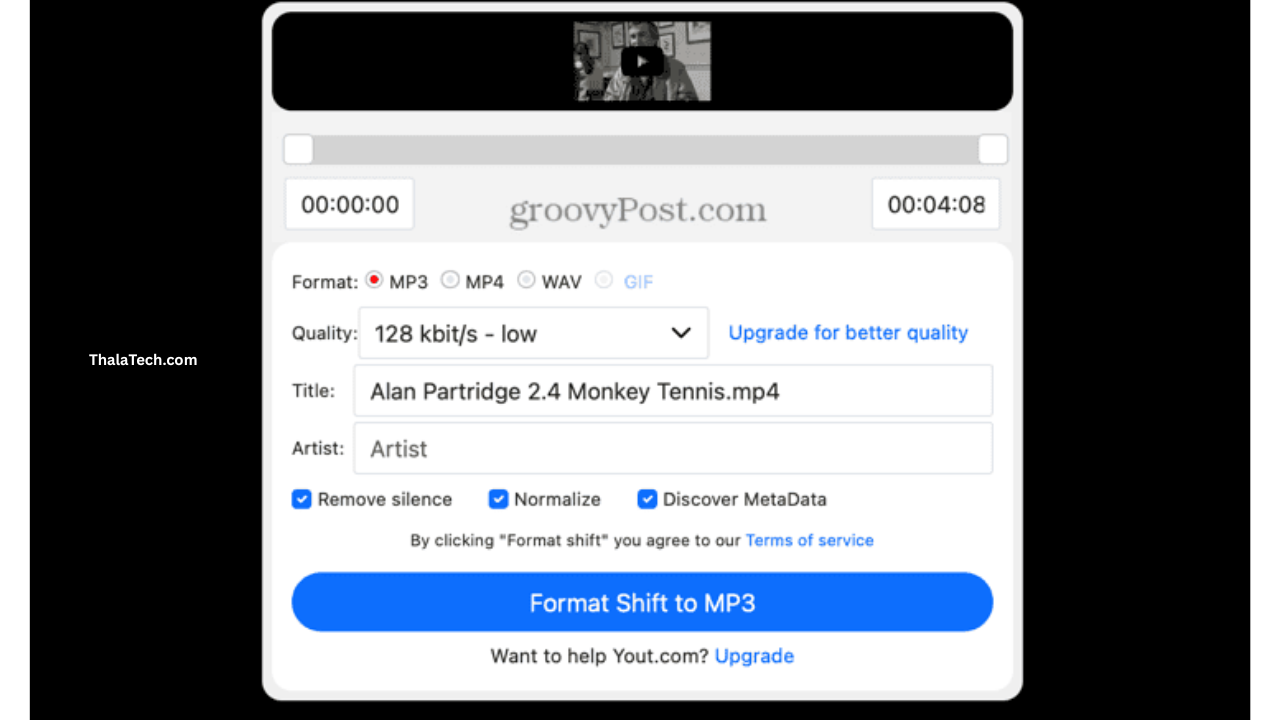
Since Android only accepts audio files for ringtones, you must convert the video.
Option A: Online Converter
-
Open a trusted YouTube-to-MP3 website.
-
Paste the copied link.
-
Select MP3 format.
-
Download the file.
Option B: Conversion App
Some apps allow direct video-to-audio conversion. These apps simplify the process but ensure they are from trusted sources.
Option C: Desktop Software
If you prefer a PC:
-
Use a video downloader.
-
Convert the file to MP3 using audio software.
-
Transfer it to your phone via USB or cloud storage.
Important: Always respect copyright laws. Only use content you have rights or permission to use.
Step 3: Trim the Audio for Perfect Ringtone
A full song is too long for a ringtone. Ideal ringtone length is:
-
20–30 seconds
-
Loud section or chorus
-
Clear and distortion-free
Use an audio cutter app to:
-
Remove silence at beginning
-
Cut to best part
-
Increase volume slightly if needed
-
Fade in/out for smooth sound
Save the edited file as MP3.
Professional Tip:
Choose a segment that starts immediately with strong audio. Calls typically last a few seconds before pickup.
Step 4: Move File to Ringtones Folder
Android detects ringtone files from specific directories.
-
Open File Manager.
-
Go to Internal Storage.
-
Locate or create folder named: Ringtones
-
Move your MP3 file into that folder.
If the folder doesn’t exist, create it manually with exact spelling and capitalization.
Step 5: Set the Custom Ringtone
Now apply the ringtone:
-
Open Settings.
-
Go to Sound & Vibration.
-
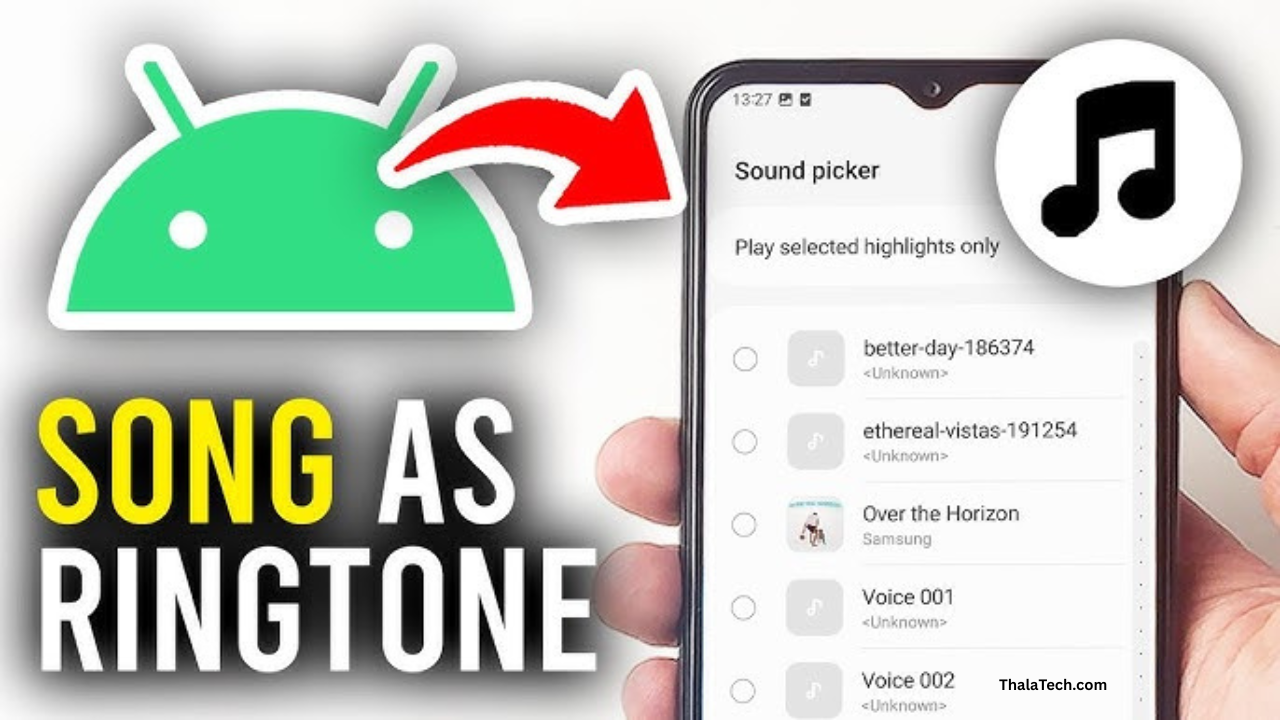
Tap Phone Ringtone.
-
Choose My Sounds or Custom Ringtone.
-
Select your new audio file.
-
Tap Apply.
Your custom ringtone is now active.
Alternative Method: Using a Ringtone Maker App
Some apps allow you to:
-
Convert YouTube audio
-
Trim files
-
Assign ringtone instantly
Benefits:
-
Faster workflow
-
Built-in audio editor
-
Automatic folder placement
However, always check permissions before installation.
Best Audio Settings for High-Quality Ringtones
For best results, use these audio specifications:
| Setting | Recommended Value |
|---|---|
| Format | MP3 |
| Bitrate | 128–192 kbps |
| Length | 20–30 seconds |
| Volume | Slightly boosted |
| Channels | Stereo |
Higher bitrate gives clearer sound but increases file size.
How to Set YouTube Song as Specific Contact Ringtone
Android also allows contact-specific tones.
-
Open Contacts app.
-
Select contact.
-
Tap Edit.
-
Choose Ringtone.
-
Select custom audio file.
-
Save.
Now only that contact triggers the custom ringtone.
Legal and Ethical Considerations
When using YouTube audio:
-
Do not redistribute copyrighted content.
-
Use personal-use clips only.
-
Consider royalty-free music.
-
Respect content creator rights.
Using short clips for personal ringtone use is generally acceptable, but distribution is not.
Safety & Security Tips
Many converter sites display ads or redirects.
To stay safe:
-
Avoid suspicious download buttons.
-
Do not install unknown APK files.
-
Do not grant unnecessary permissions.
-
Use secure browsers.
-
Enable Google Play Protect.
Security is important when downloading files outside official stores.
Common Problems and Fixes
Ringtone Not Appearing
-
Ensure file is in Ringtones folder.
-
Check file format is MP3.
-
Restart phone.
-
Clear Media Storage cache.
Audio Too Quiet
-
Use editor to amplify volume.
-
Choose louder part of audio.
-
Avoid low-quality source videos.
File Won’t Download
-
Try another converter.
-
Check internet connection.
-
Ensure video is public.
Unsupported File Error
-
Convert again to MP3.
-
Avoid M4A or video format.
Advanced Method: Using Audio Editing Software
If you want professional-level ringtone quality:
-
Use audio editing software on PC.
-
Apply equalizer adjustments.
-
Remove background noise.
-
Normalize volume.
-
Export optimized MP3.
This gives studio-quality ringtone clarity.
Why Custom Ringtones Are Popular in 2026
Smartphone personalization is growing. Users want:
-
Unique identity
-
Personalized notifications
-
Motivational audio
-
Fun sound clips
-
Branding consistency
Custom ringtones enhance digital identity and user experience.
Who Should Use This Method?
This method is ideal for:
-
Android customization lovers
-
Music fans
-
Students wanting unique tones
-
Professionals wanting branded audio
-
Content creators testing sound effects
If you enjoy personalizing your device, this is worth doing.
Is It Worth Setting YouTube Audio as Ringtone?
Yes, if you value personalization.
Benefits:
-
Unique sound
-
Recognizable alert
-
Emotional connection
-
Creative expression
However, the process requires multiple steps and some caution with downloads.
If you frequently change ringtones, installing a dedicated ringtone manager may save time.
Frequently Asked Questions
1. Can I directly set a YouTube video as ringtone without conversion?
No. Android requires an audio file like MP3 stored locally on your device.
2. What is the best ringtone length?
20–30 seconds is ideal for clarity and recognition.
3. Why is my ringtone not showing in settings?
Ensure the file is inside the Ringtones folder and saved in MP3 format.
4. Is it worth creating custom ringtones?
Yes, if you want a personalized experience and unique sound alerts.
Final Thoughts
Setting a YouTube video as a ringtone on Android requires converting the video into an MP3 file, trimming it to the best section, placing it in the correct folder, and applying it through system settings.
While Android does not offer direct integration, the process is simple once you understand the steps. With the right tools and safe downloading practices, you can turn any suitable audio clip into a high-quality custom ringtone.
Personalization is one of Android’s greatest strengths. Take advantage of it and make your device truly yours.
Hi
Tamil song
Song download
Ringtone
Murugan murugan
Abarajithan
Super
Raj
Hiiiiiiiii 👋
Hii
I used ful ringtone
Hiii
Add